
Common Model-Label Locations
- Refrigerator labels usually sit inside the food compartment, while freezer labels may be inside the compartment or under the lid.
- Washer, dryer, dishwasher and oven labels usually appear around a door opening or under a washer lid, depending on the model.
- Microwave labels may be inside the cooking cavity, underneath or on the back; locations vary by brand, and an inaccessible label can wait.
Useful Appliance Details for the Call
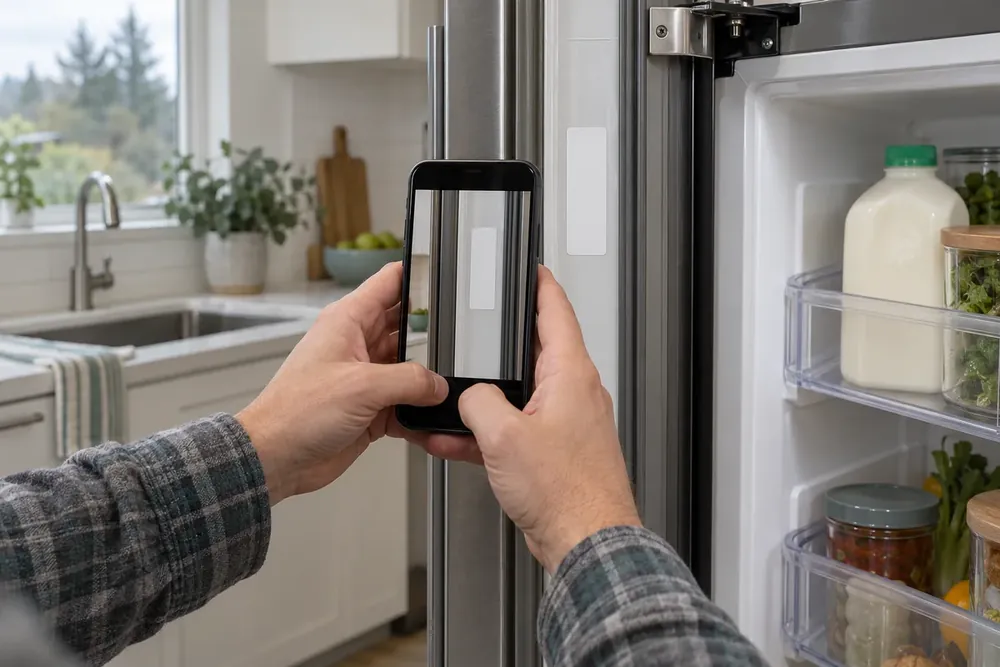
The model and serial label usually sits around a door opening, inside a compartment or on an exterior surface, with locations varying by brand and appliance.
Handy on the call, if you have it:
- The appliance type, brand and model or serial number from an accessible label.
- What the appliance does, including sounds, smells, leaks and the exact code on its display.
- Anything that changed recently, such as an outage, a move, or a new hose or filter.
None of those details is required to call. You can phone with nothing written down; the rest is worked out during the conversation. Do not move a heavy appliance or remove anything to find a sticker.
Label Locations by Appliance
Labels usually appear in the places below, but the exact location depends on the brand and model.
| Appliance | Where the label usually is | Worth mentioning |
|---|---|---|
| Refrigerator | An interior side wall in the food compartment, often near the top. | Which compartment is warm, new noises and a recent filter change. |
| Freezer | Inside an upright compartment; under the lid or on an exterior surface of a chest model. | Softening food, frost, a door gap or a recent outage. |
| Ice maker | Inside the ice compartment on some standalone models; use the refrigerator label for an integrated unit. | No ice, small cubes, leaks and whether a filter was changed. |
| Washer | Around a front-load door opening or under a top-load lid; some labels are exterior. | Water left inside, missed spin, leaks and a recent hose change. |
| Dryer | Inside the door opening, on the front face around the drum. | Drum movement, lack of heat, scraping sounds or unusually slow drying. |
| Dishwasher | Along an inside front edge or the side edge of the door. | Standing water, leaks, unwashed dishes or a new detergent. |
| Oven or range | On the front frame visible with the oven door open. | No heat, uneven baking, repeated clicking or a display code. |
| Microwave | Inside the cooking cavity, underneath an over-the-range model or on the back. | No heat, stopping partway through use or visible door damage. |
GE Appliances' refrigerator locator shows interior wall locations; its upright-freezer, chest-freezer and ice-maker pages illustrate differences within those appliance types. For an integrated ice maker, the refrigerator model identifies the host appliance.
The same manufacturer's front-load washer, top-load washer, dryer and dishwasher locators support the door and lid locations shown above. Accessible front-frame labels appear in its oven and range locators; its microwave locator shows cavity, underside and rear locations. These are examples, not identical locations for every brand.
Describe the Symptom Without Testing It
What the appliance already did is enough to describe the problem; repeating a failed cycle is unnecessary.
For a refrigerator, freezer or ice maker, say which section changed and whether cooling or ice production stopped completely. Keep refrigerator and freezer doors shut during a cooling problem. For laundry appliances, explain where the cycle stopped and whether the drum moved. A sound that happened during filling is a different observation from a sound during spinning.
For a dishwasher, mention whether water remained after the cycle or appeared outside the door. Oven, range and microwave calls are helped by a distinction between no heat and poor results. Those details narrow the questions your technician asks; they do not establish a diagnosis.
Read the Code Exactly
A display code should be read out exactly because its meaning depends on the brand and model.
Include letters, numbers and punctuation as shown, or describe the flashing pattern. A photograph is useful if easy to take, but you can simply say what you see. Mention when the code appeared and any recent move, outage, hose replacement or filter change without assuming the change caused the failure.
Stop for Gas or Burning Smells
A gas smell calls for leaving immediately; a burning smell calls for stopping appliance use.
If you smell gas, do not touch switches or unplug anything; leave and call the gas utility or 911 from outside, following Cascade Natural Gas's emergency guidance. For a burning smell without a gas smell, switch the appliance off at its controls if safe, then call. Leave and call 911 from outside if there is smoke or fire.
For other faults, check only simple visible details such as whether the door is fully closed. Call Heron Appliance Service and describe what happened; our network of local appliance technicians handles the next questions without requiring a model number first. The repair-or-replace page helps compare options after the fault is identified.